MLS RULES
MLS Rules and FAQs for Waco Association of REALTORS® Members
Understanding the MLS rules is essential for every real estate professional who lists and sells property in the Waco area. The Waco Association of REALTORS® (WAOR) participates in the North Texas Real Estate Information Systems (NTREIS) multiple listing service, and these MLS rules govern how members enter listings, report status changes, share compensation, and maintain accurate data. This page brings together the most important guidelines and frequently asked questions so you can stay compliant and confident in your day-to-day business.
Click here to access the most up-to-date NTREIS MLS Rules.
Why MLS Rules Matter
Following the MLS rules protects you, your clients, and the integrity of the entire marketplace. Accurate and timely data entry ensures that buyers, sellers, and fellow agents can rely on the information they see. Violations of the MLS rules can result in fines and other penalties, so it pays to review the guidelines regularly. WAOR is committed to helping every member understand these requirements through education, support, and clear communication.
MLS Statuses and Definitions
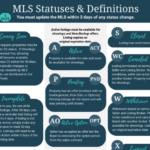
One of the most common questions members ask involves listing statuses. Knowing the correct status to use, and when to change it, is a core part of the MLS rules. Our printable guide explains each status, its definition, and how it affects Days on Market calculations. Whether a property is Active, Pending, Active Option, or Withdrawn, applying the right status keeps your data clean and your listings compliant with current standards.
Frequently Asked Questions About MLS Rules
Members frequently ask how quickly a status change must be reported, how to handle coming-soon listings, and what documentation is required for certain transactions. The MLS rules provide specific timelines and requirements for each of these scenarios. If you are ever unsure how a particular rule applies to your situation, the WAOR staff is happy to point you to the appropriate section of the NTREIS guidelines or connect you with the MLS compliance team.
Get Help With MLS Rules
Have a question that is not answered here? Our team is ready to assist. You can also explore additional resources by visiting our membership page or reviewing the national standards published by the National Association of REALTORS®. Staying current on the MLS rules is one of the simplest ways to protect your business and deliver outstanding service to every client you represent throughout Central Texas.
MLS STATUSES & DEFINITIONS
MLS VIOLATIONS & FINES
MLS FAQs
I need to update my contact information.
You can now update your contact information in the Growthzone Member Platform
Your Web Designer Needs Access to NTREIS IDX feed? Click here to get started.
For a third-party vendor to set up your website/IDX feed, they would navigate to the vendor site below. The info regarding the setup fee and monthly charge applies to the Vendor, not the agent. So, the design agency would need to fill in the vendor request and pay the fees if they wish to access the raw data/RETS feed.
The vendor will complete the agreement and email it to NTREIS – IDX@ntreis.net.
The link for a vendor
https://ntreis.net/accessing-ntreis-data/accessing-ntreis-data-vendors/
Entered the wrong price & it is showing a price increase/decrease.
Email your listing agreement our MLS Staff with the correct price.
How many days can a sign be displayed at a property before going on MLS?
One business day.
Any MLS Technical Issue
Always contact our staff first. We can quickly escalate issues to the NTREIS Team if necessary.
Does MLS work on Mac?
Yes! You can use and access NTREIS from any major OS (Windows or Mac). Remember: on Mac, it's the Cmd key, not the Ctrl key.
How do I make the text bigger?
On Windows, press Ctrl and + to zoom in/enlarge the screen. Ctrl and - to zoom out/decrease the screen size.
On Mac, it's Cmd and + and Cmd and -, respectively.
Why did you send me a violation?
Most violations are automatically sent based on existing NTREIS rules. Listing Data Checker automatically checks against the parcel ID using county records. Some violations are issued after we have manually reviewed your listing. Anytime you would like to contest or request a change that you are unable to change (address), hit reply to request an update.
I entered the incorrect selling agent on my Closed listing.
Send an email with the MLS#, the correct agent ID & name, and closing paperwork.
I’m trying to enter the selling agent, but it is not coming up.
If you click Roster and run a search with their Agent ID and it returns 0 matches, they are not an MLS Participant. You will enter 8 # 9s (99999999), same rule applies if an owner is representing themselves.
I have the wrong days on market when I list.
Email an amendment of listing to the MLS staff to reset the list date.
Does DOM count in Coming Soon status?
No, “Hold” does not count DOM either.
How many days can a listing be in Coming Soon status?
30 Days. After 30 days, if it's not manually updated, it will be automatically set to "Hold".
What’s the difference between DOM & CDOM?
Days on Market tracks the days on the MLS# & Cumulative Days on Market tracks the days on the address used. Make sure to leave the property off of the market for 31 days to reset the CDOM. If not, it will carry over. DOM resets every time you assign a new MLS#.
What is Coming Soon, Incomplete, or any status meaning?
Check out the MLS Status Glossary for more info.
Data Checker violation is telling me to update my address, but I do not have access to change it.
Please reply to that violation and advise to update the address. Due to history purposes, you cannot make any changes to the address after 5 days of the initial list date.
When trying to submit my listing, I received a warning pop up before submission.
If you attempt to submit your listings and a warning pops up, it is only verifying before submission. This will not prevent you from submitting the listing.
Realist Tax does not have correct information.
Anytime you have any discrepancies on Realist Tax email the address/MLS#, issue, and screenshots, if able to report it. The discrepancy should be removed in the next week or so.
What form do I use for etc....?
As an Association, we do not provide broker or legal advice. If you are not sure what form to use or what route to take, make sure you check with your mentor or broker. You can also call the Legal Help line with Texas REALTORS® at (512) 480-8200
Where do I report Clear Cooperation?
Submit Clear Cooperation. All reports are anonymous.
What is Clear Cooperation?
Another Agent Isn't Closing Out or Updating a Listing
Send an email with all the details and related documentation. Be sure to include the MLS#.
Why are my listings not being syndicated to sites? Zillow?
Make sure you select “Yes” from the drop-down field “Allow Internet Display” under the Remarks tab of your listing. Zillow is its own broker, but your listing should be included in their IDX Feed (You must sign up for a paid subscription through Zillow for rentals.)
Can I change my Active listing back to Coming Soon?
No, you would have to place it in the Hold status.
Can I search by school ratings in the MLS?
No, however, whatever you can't search in Matrix MLS, you can search under RPR (REALTORS® Property Resource) which is a one-stop-shop nationwide property database with comprehensive reports that includes school ratings feature.
Need help with Showing Time?
Contact Showing Time directly at 1-800-379-0057. Make sure to contact your office manager to verify if they have services set up through the office or each individual agent should set up their own account.
Need help with Broker Bay?
Contact Broker Bay directly at 1-800-547-0252 or email at support@brokerbay.com. Make sure to contact your office manager/broker to verify if they have services set up through the office.